Real estate banners that make the offer clear
A good property can disappear in a busy feed. See how to give it a clear visual offer, build the right campaign, and create the materials with TweenFrame.
A buyer scrolls past a house they might have loved. The photograph is dark, the price is buried in the caption, and the headline could describe any property in town. A tenant skips an apartment because the ad never says when it is available. An open house invitation gets saved—and forgotten—because the viewing time is almost invisible.
These are advertising problems before they are design problems. The property may be right. The offer may be competitive. But the material asking for attention has not given someone a reason to take the next step.
A good real estate banner closes that gap. It makes the property worth looking at, the offer easy to understand, and the next action obvious. For an individual agent, that means a more useful introduction to a listing. For an agency with dozens of properties, it means a repeatable way to turn inventory into advertising without rebuilding every graphic from scratch.
This guide follows that work from the first decision—what should this ad achieve?—through sales, rentals and other campaigns, to creating a complete set with the real estate banner maker or an AI agent connected to TweenFrame.
The examples use stock photographs and fictional property details to show how each campaign works.
A listing is not yet an advertisement
A listing is a place to investigate. It can contain photographs, measurements, a floor plan, descriptions, costs, conditions and contact details. An advertisement has a different job: help someone decide whether the listing deserves their attention.
Copy the entire listing onto a banner and it becomes unreadable. Show only a beautiful interior and people may not know whether you are selling the apartment, renting it, advertising furniture or offering interior design.
A useful banner brings together a strong image, a specific offer, a few deciding facts and one next step.
“Three-bedroom home with a garden · Brookside · $825,000” gives a buyer something concrete to assess. A clear headline, prominent price and well-chosen photograph make those details easy to take in at a glance.
There is a business reason to care. Advertising spends a budget; unsuitable inquiries spend the team's time. Showing the rent, availability or asking price early can help people assess the offer before contacting you. The useful outcome is a conversation that can lead to a viewing, an application or a booking.
Beautiful presentation also gives sellers something tangible to judge. A coordinated campaign shows how you will present their home across social media, email and your website. Carry the same photography, offer and tone through to the property page so buyers recognize the home after the click.
Give each banner one job
Choose the action you want someone to take before choosing a template. A new listing needs a reason to open the property page. An open house needs a date people can plan around. A commercial lease needs enough practical detail to make a floor-plan request worthwhile. The action determines which information deserves space.
| Campaign | Question the banner should answer | Useful next action |
|---|---|---|
| Home for sale | Is this the kind of property I want, in a place and price range I can consider? | View the listing or book a tour |
| Long-term rental | Does the rent, layout and availability fit my plans? | View conditions or arrange a viewing |
| Short stay | Does this place suit the trip I want to take? | Check dates and total price |
| Open house | Where is it, and when can I visit? | Get directions or RSVP |
| New development | What is available, and what stage is it at? | Explore plans or request a brochure |
| Commercial property | Could this space work for my business? | Request specifications or a viewing |
| Seller campaign | What would this agency do to market my property? | Request a marketing consultation |
One property can support several campaigns. A small family of related banners lets you introduce it, invite people to visit and bring it back to their attention when the offer changes.
Make a home for sale easy to recognize
A sale banner has to combine desire with qualification. The image creates interest; the price, location and essential facts help a buyer decide whether that interest is relevant.
Start with the photograph that explains the property best. Sometimes that is the exterior. Sometimes it is the main living area, a terrace or a distinctive view. A striking detail shot can support a campaign, but a close-up of a tap rarely explains why someone should investigate the home.
Keep the headline concrete: “Just listed,” “Garden apartment for sale,” or “Three bedrooms in Brookside.” Add the price when it helps buyers evaluate the offer, plus two or three meaningful details. Do not give decorative labels the same prominence as the property itself.
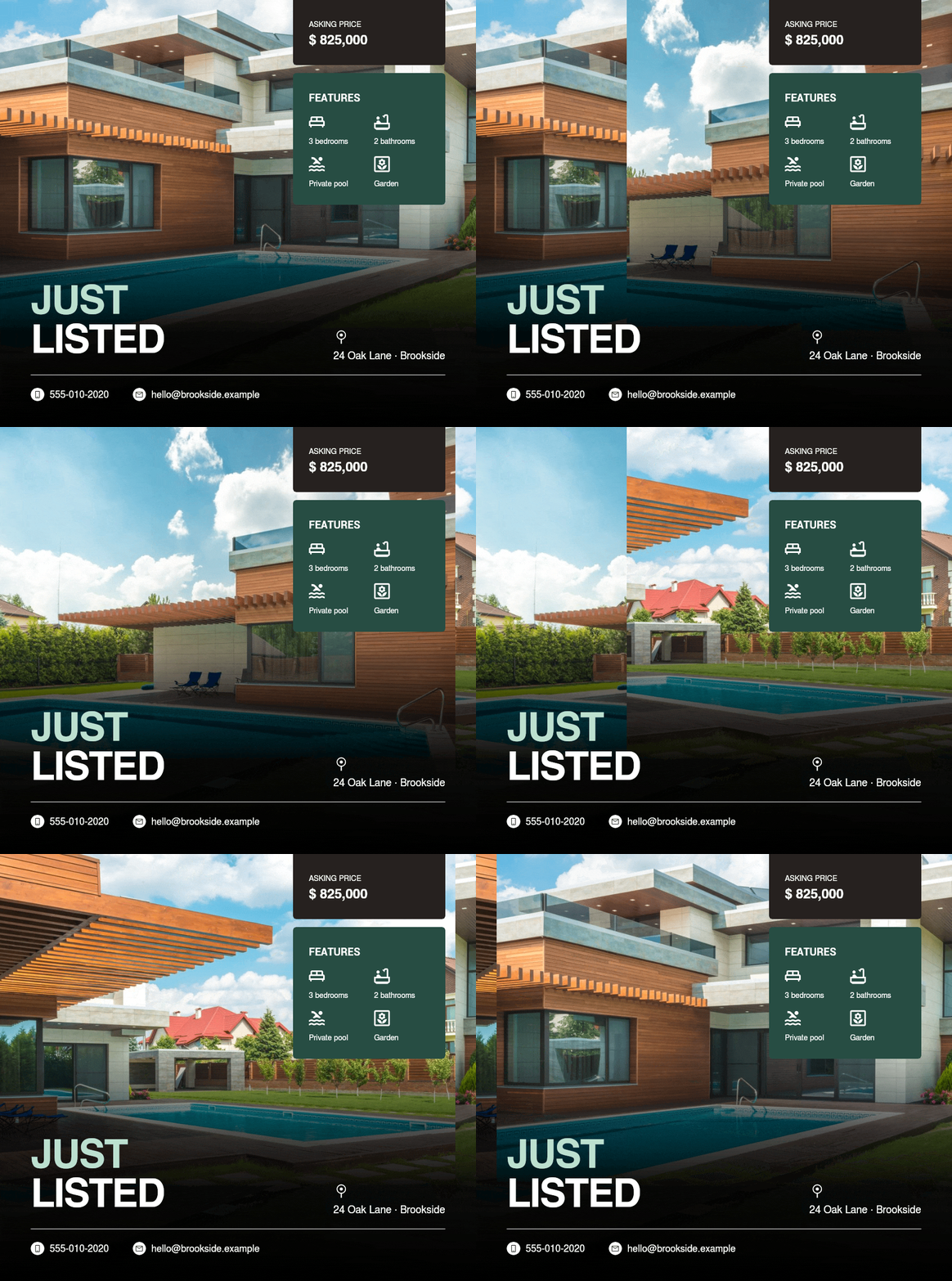
A launch needs a recognizable identity
For the initial campaign, keep the same type, colors and core photograph across the main placements. Someone who sees the social ad and later receives an email should recognize the property immediately.
A useful launch set might include a square feed graphic, a portrait version, a short animated preview and a landscape email image. Keep the visual identity consistent while giving the photograph and key facts room in each shape.
A price change needs a new message
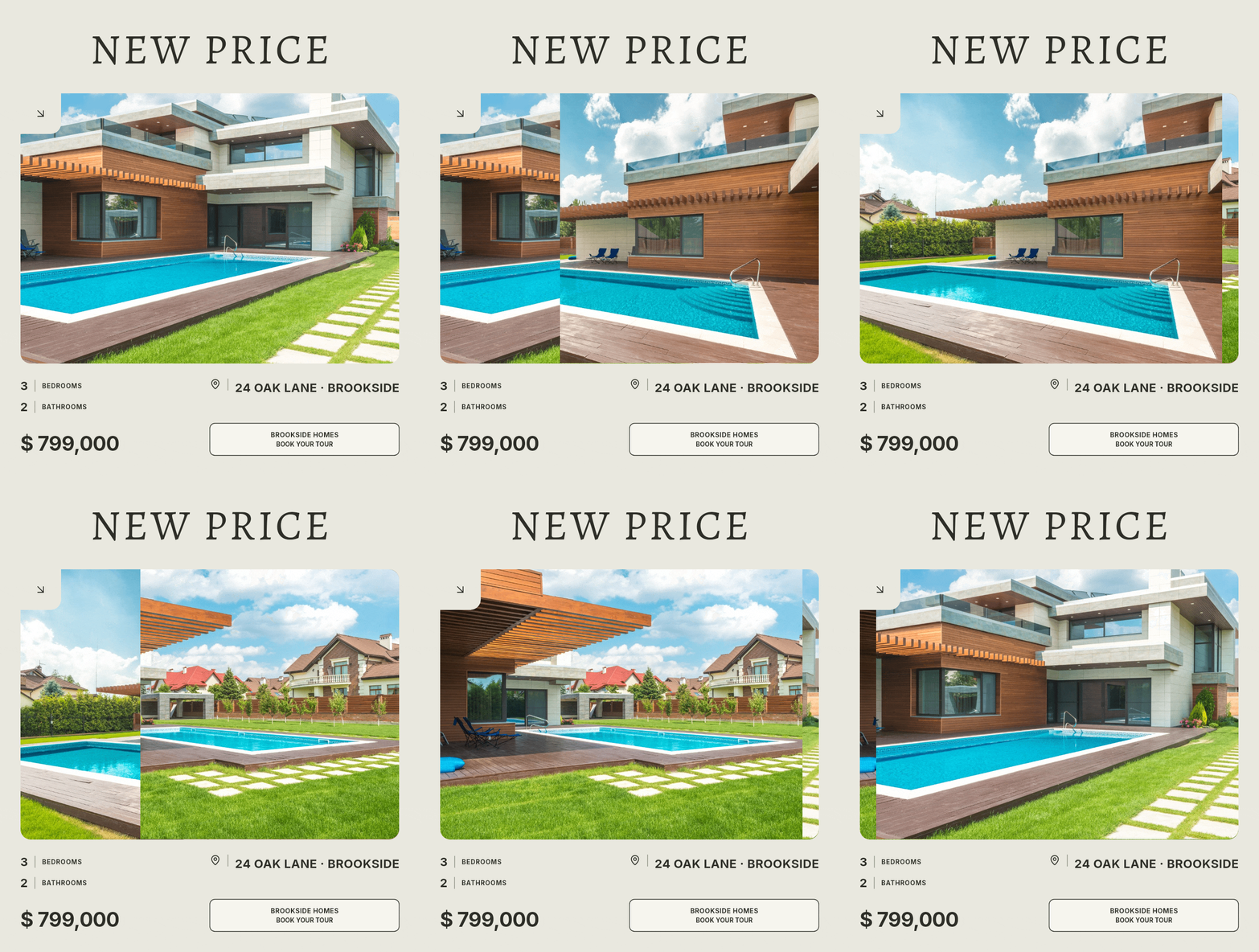
When the asking price changes, update both the figure and the reason to look again. “Now $799,000” is more informative than repeating the launch ad with an almost invisible edit.
Pair the updated price with a fresh viewing invitation and replace the active versions together. Buyers who saw the launch can immediately understand what changed and why the home deserves another look.
Give a premium property room to stand out
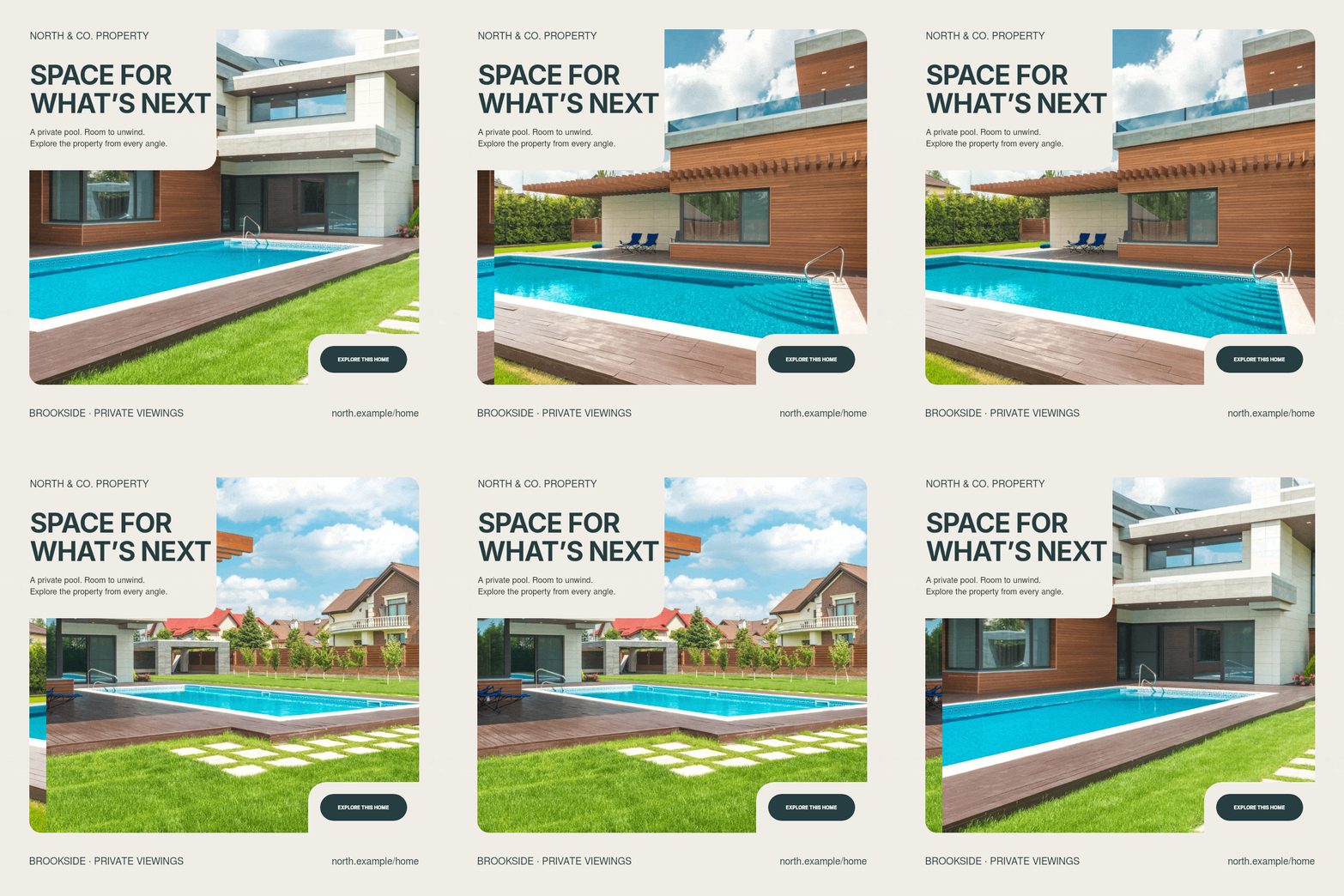
Give excellent photography room, use confident typography and choose the details that explain the property’s value: architecture, setting, outdoor space or an unusual feature. A spacious composition helps the viewer appreciate those qualities.
“Private viewings by appointment” gives interested buyers a clear next step. Pair it with the location and a few distinctive features so the invitation feels specific to this home.
Make rental conditions visible
A rental banner can answer the first round of questions before anyone sends a message. Clear conditions help tenants recognize a suitable home and make the resulting inquiries more useful to the letting team.
Monthly rent, availability, location, bedroom count and whether the property is furnished are often more useful than a paragraph of atmosphere. Identify the rental period clearly. A price without “per month,” “per week” or the relevant basis can mislead even when the number itself is correct.
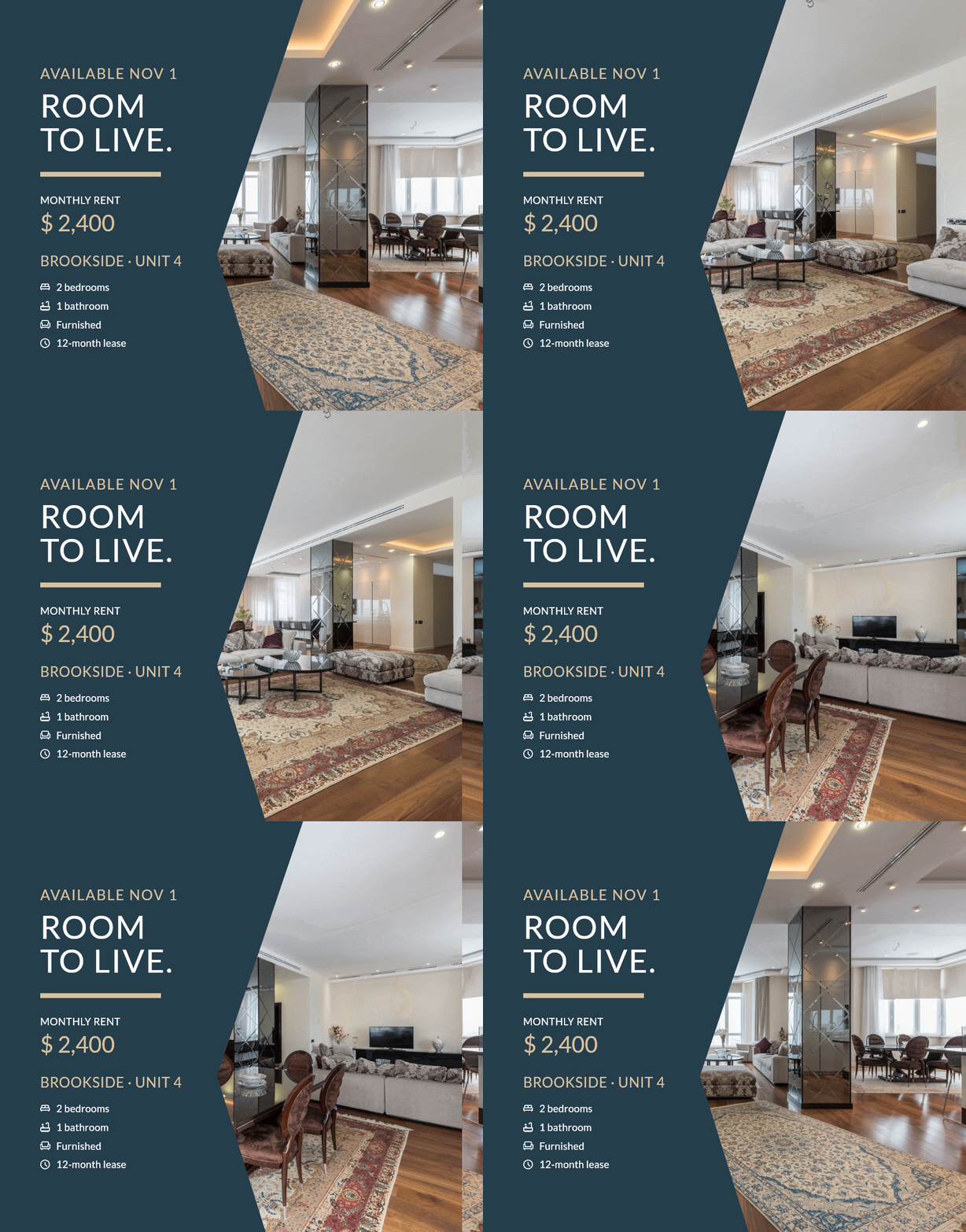
For a long-term apartment campaign, an effective brief could be: “Lead with the bright living area. Make $2,400/month and November availability prominent. Include two bedrooms and furnished status. Send people to the viewing page, where they can read the full terms.”
Link to a listing with the deposit, charges, lease conditions and application steps. The banner introduces the opportunity; the property page gives tenants what they need to arrange a viewing or apply.
Short stays sell a different decision
A holiday cabin or city apartment has to help someone picture a stay. The terrace, surroundings or an inviting living space may matter more to the first impression than a long feature list.
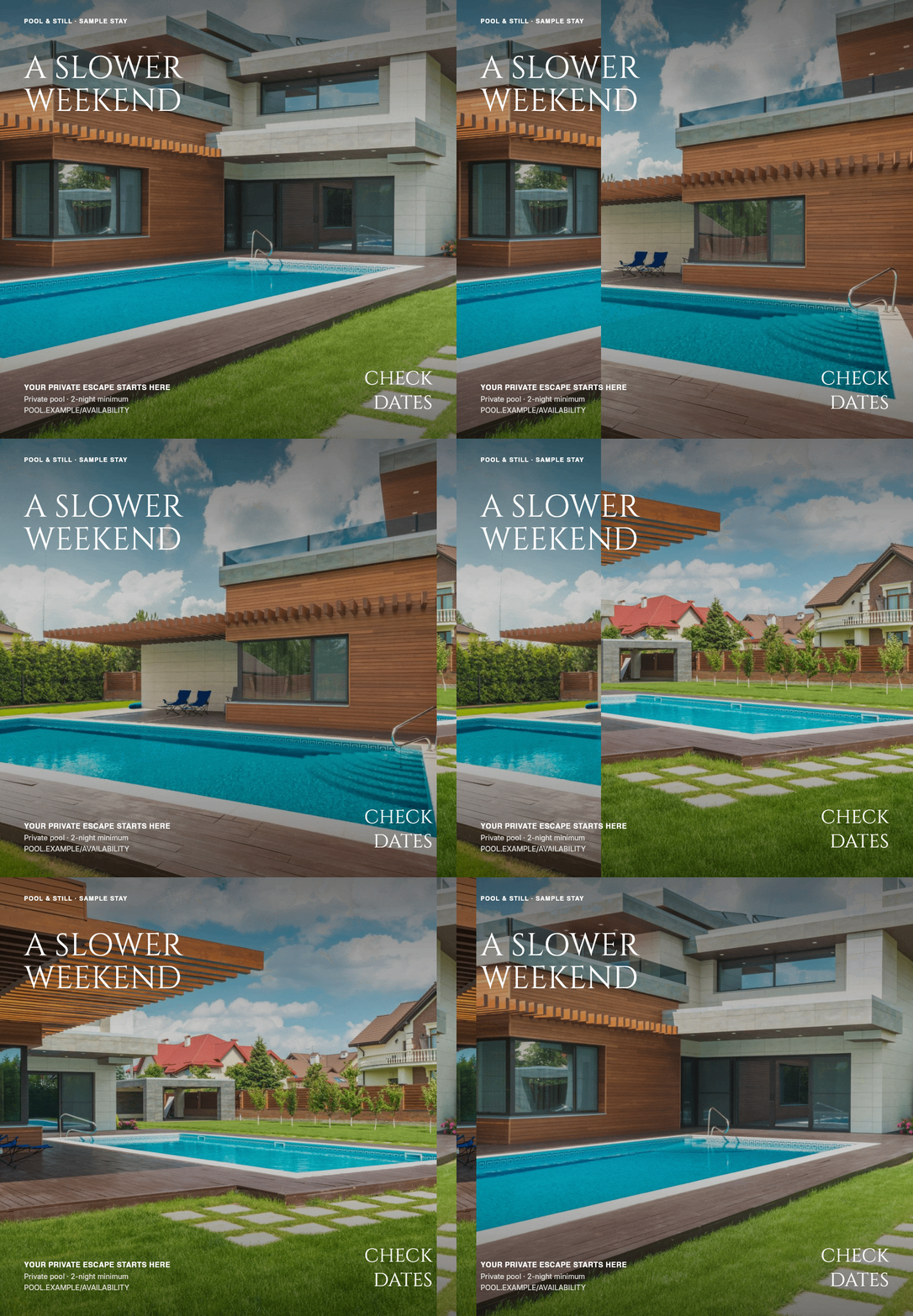
“Check availability” or “See dates” takes guests from picturing their trip to planning it. Connect the banner to the relevant booking page, where they can choose dates and see the total price.
An animated banner can take guests through the same accommodation in a few views: the exterior, the place to spend time, and the surrounding setting. That sequence helps them imagine the stay before opening the full gallery.
Turn open house interest into a visit
An open house banner is an event invitation. Its most important information is time-sensitive: the date, viewing hours and location.
Give the date and viewing hours a prominent place beside the property photograph. “Sunday, October 25 · 12–3 PM” tells someone when they can act, while the image gives them a reason to make time for the visit.
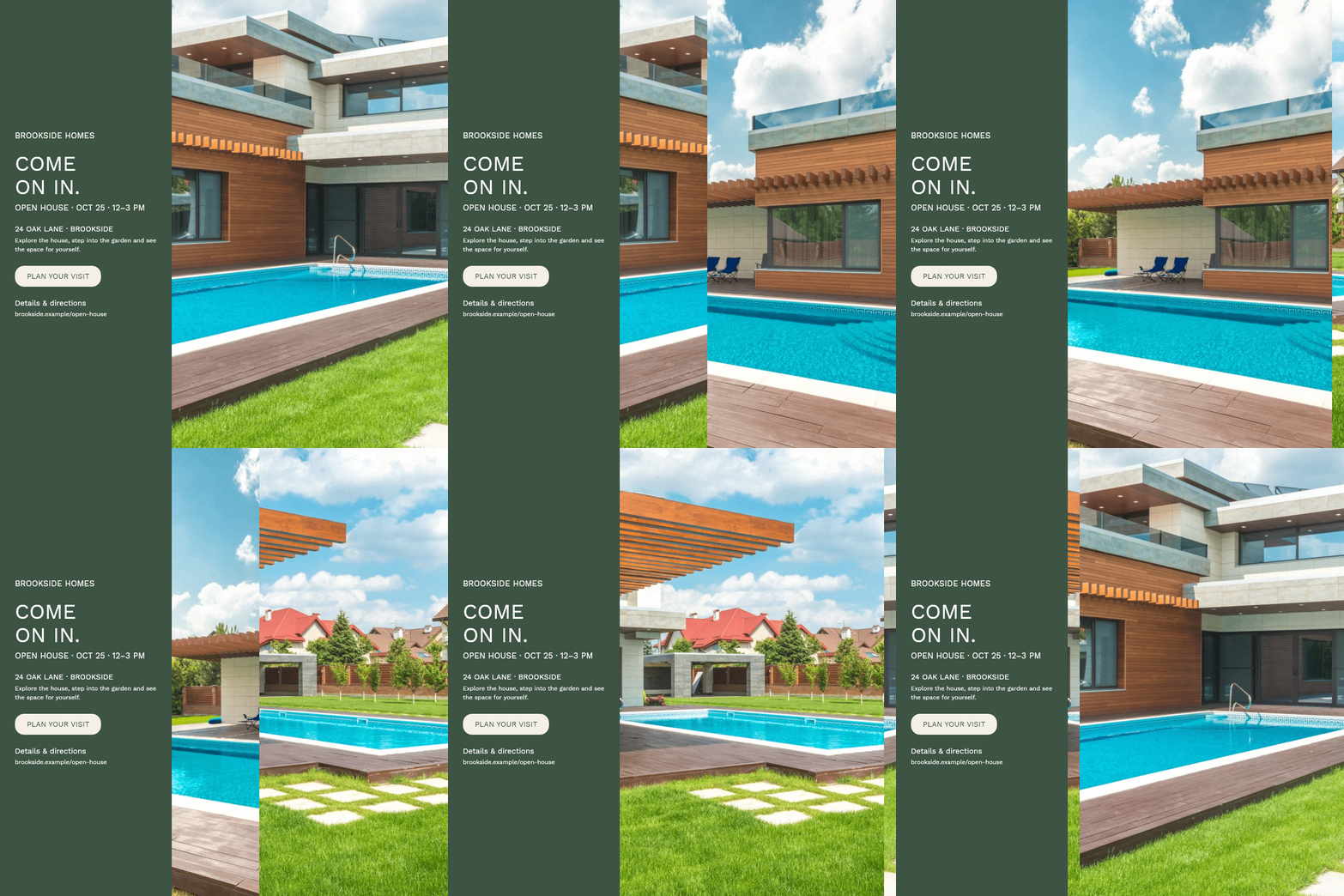
Build three related versions: an initial invitation, a reminder and a same-day notice. Change the message to suit the moment instead of reposting a graphic that says “Next Sunday” after Sunday has arrived.
Link the invitation to directions or a simple registration page. In an email, the whole image can lead to the event details; in a social campaign, use the placement’s link or action button.
New developments, commercial space and other campaigns
The same principles apply beyond individual homes, but the information that earns attention changes.
New developments and off-plan homes
A development campaign introduces a project and helps buyers explore their choices. Lead with the project name, location, available unit types and stage of construction. Clearly labeled architectural visualizations can communicate the planned spaces, while progress photographs show how the project is taking shape.
An available unit’s starting price gives buyers a useful entry point. Follow it with an invitation to explore layouts, compare options or book a visit to the show home.
Separate the campaign into useful themes: project introduction, available layouts, construction progress and a viewing or launch event. Each deserves its own banner rather than a single crowded brochure cover.
Offices, retail and industrial property
Commercial prospects need to assess practical suitability. Area, location, permitted or intended use, access and the basis of the quoted rent can matter more than residential lifestyle language.
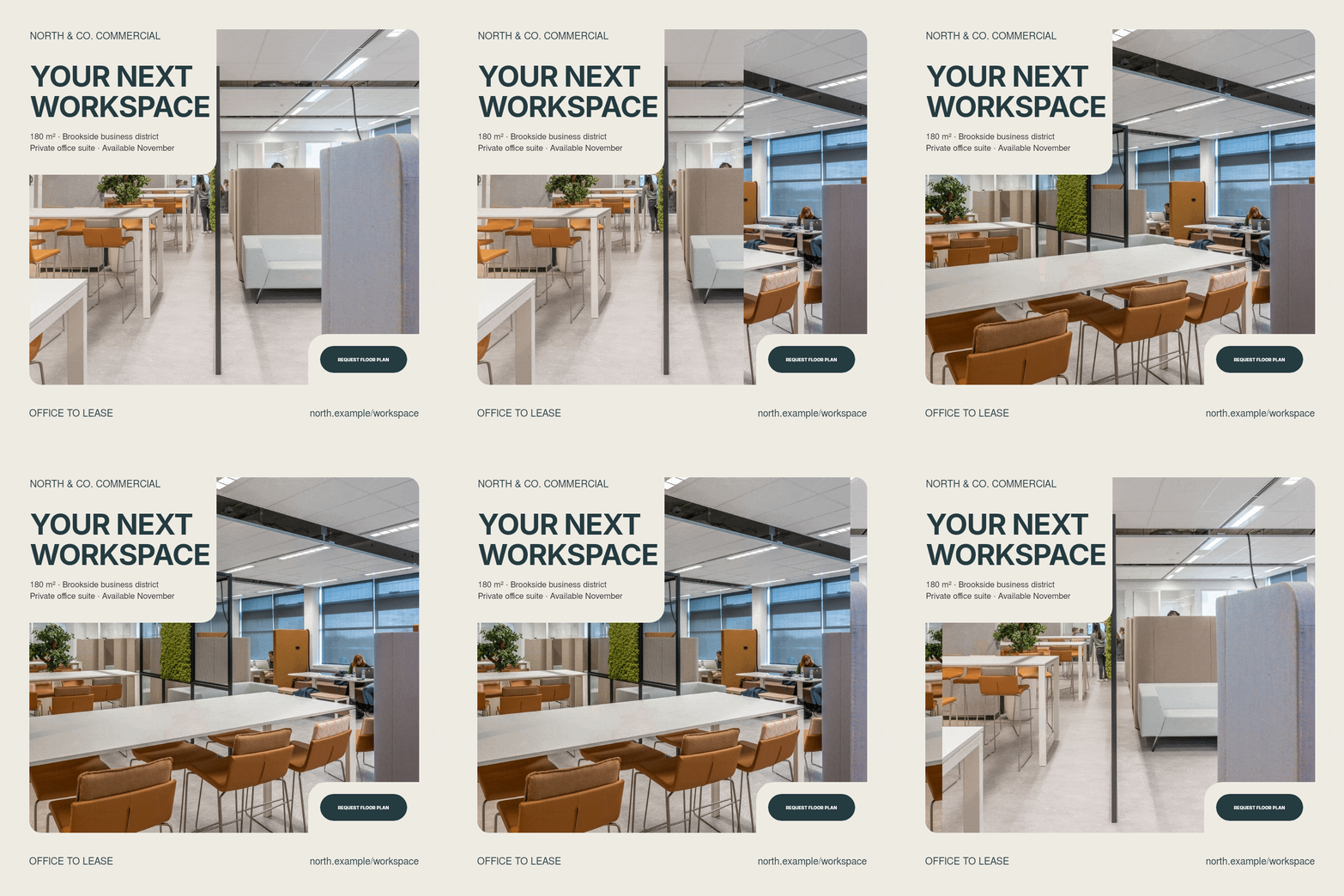
An office banner might lead with “180 m² office suite · Brookside business district,” then invite the reader to request a floor plan. A warehouse campaign can highlight documented loading access and clear height; a retail campaign can show the frontage and location.
Label the area and pricing period clearly, then link to the specifications and lease terms. A prospect can quickly decide whether the space merits a closer look.
Land and investment property
For land, an aerial image and a boundary illustration can explain the location and scale quickly. Pair them with the area and documented planning status, labeling approximate boundaries so buyers understand what they are seeing.
For investment property, lead with the asset type, location and documented tenancy or occupancy facts. Use the banner to invite readers into the full investment particulars, where financial figures and their assumptions have room to be explained.
Sold, leased and agency marketing
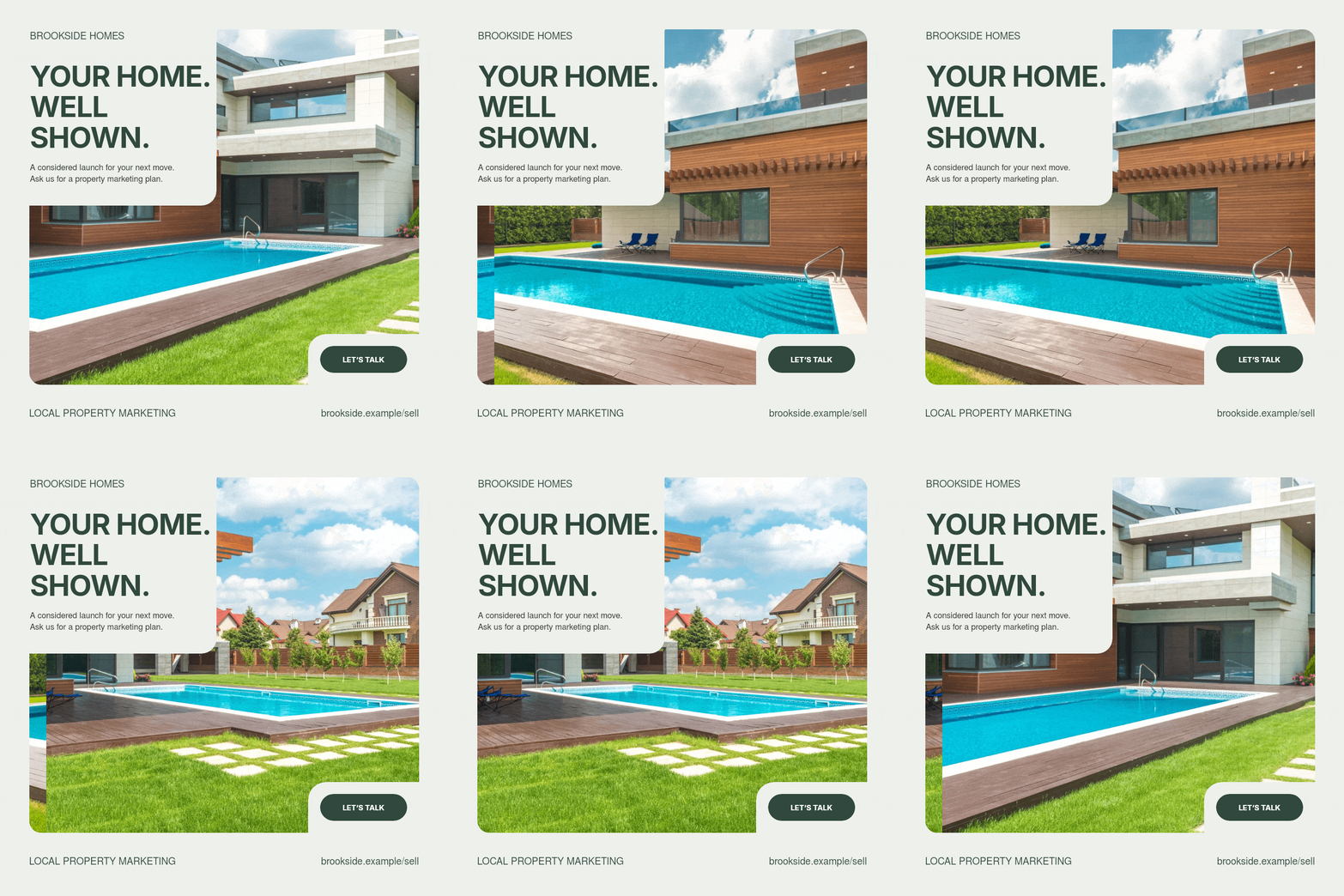
A clearly marked sold or leased banner gives a completed campaign a new purpose: demonstrating your agency’s activity to future sellers and landlords.
Show what a seller can expect: considered photography, a clear presentation, useful campaign formats and a coordinated launch. A real example of your property marketing makes that service visible before the first consultation.
What makes a property banner attractive and informative?
Good banners reduce the work required to understand an offer. Their beauty comes partly from that clarity.
Let the photograph explain the property
Use a sharp image with a deliberate crop. Keep the defining feature visible: the house, the window, the garden or the room's proportions. Check that text and overlays do not cover the very thing you are selling.
Keep the original photographs alongside the designs so you can create a fresh crop for a Story, a wide email banner or the listing’s photo gallery.
Build an order of attention
The viewer should be able to find, in order: the property or offer, the deciding information, and the next action. If the logo, price, headline, feature icons and contact block all compete at the same size, nothing leads.
Use short headlines, enough contrast and space between groups. Place text on a calm part of the image or a solid panel. Decorative detail is useful only while the message remains easy to read.
Review at the size people will actually see. A caption that looks elegant at 1,200 pixels wide may disappear when the banner is displayed at 350 pixels. If essential text needs zooming, shorten the copy or change the composition.
Show more of the property with animation
Animation gives a single placement room to show several views of the property. An exterior establishes the home, a living area suggests everyday life, and a terrace or garden adds another reason to explore.
Keep the price and viewing invitation in a steady information panel while the photos change. A few deliberate views with calm transitions let people explore the property and read the offer at their own pace.
For email, make the opening frame a complete introduction to the property, with a clear photograph and offer. It will also work when a mail client displays only that frame. Our guide to adding a GIF to an email explains the setup.
Where to place banners—and what changes in each channel
A buyer might first notice a home in an Instagram post, return to it through an email and finally open the full listing. Each encounter needs a composition that fits the space. A taller photograph can lead a feed post; a wide panel can introduce the same property in a newsletter without taking over the entire page.
The seven versions below use the same Brookside home, three photographs and $825,000 asking price. They show how to move the information and recrop the photos while keeping the campaign recognizable. Choose the versions your campaign needs. The animations here are GIF previews; export a still image for a photo post or an MP4 for a video placement such as Reels.
Square, 1:1 — Instagram, Facebook and Google Display
A square is a useful starting point for a new-listing announcement on your agency's Instagram or Facebook feed. It gives the photograph and the offer similar weight: someone can recognize the home, see the price and decide whether to read the caption. A still export can also open a carousel, with the following cards showing individual rooms or features.
Here the photo spans the full width, with the price and a short property summary underneath. Put the longer description in the post caption. On Facebook, include a link to the listing; on Instagram, give readers a clear route to the property through your profile or a direct inquiry.
The square composition also provides a starting point for a Google Display ad that introduces the home on websites and apps and takes interested buyers to the full listing. Keep the photo, price and viewing invitation prominent, then prepare the final export for the selected square display placement. Review it at its actual display size so the offer stays easy to read.
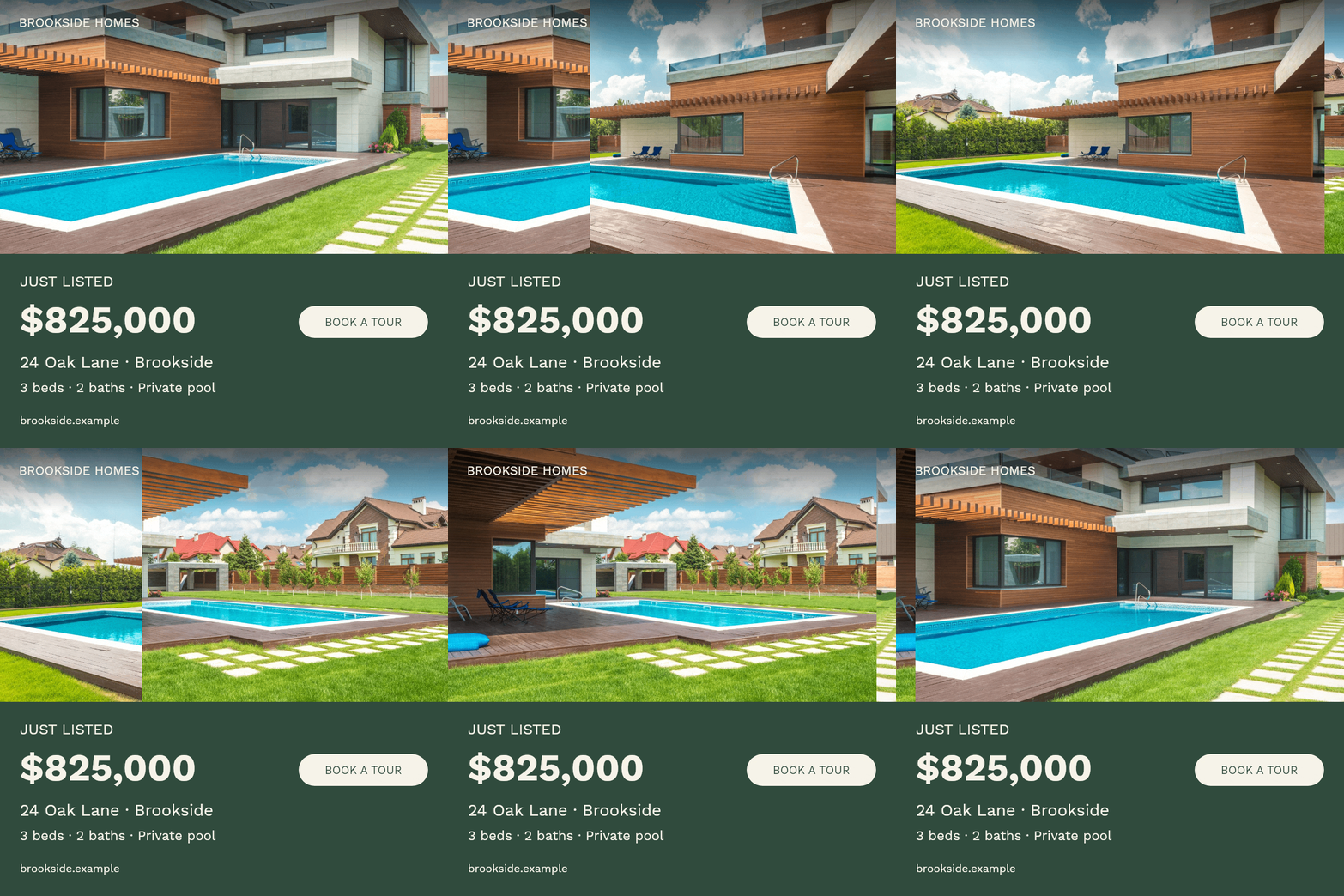
Feed portrait, 4:5 — more room in a mobile feed
Choose 4:5 for an Instagram post or a portrait Facebook feed creative when the photograph needs more height. The home occupies more of the composition while the information panel stays large enough to read. It suits a property introduction, a price update or an open house announcement with a few essential details.
This adaptation gives the house and pool a deeper photo area, then keeps the asking price, address and features together below it. Use the extra height to show the property, rather than filling it with more small text. Preview the post before publishing so its crop preserves both the photo and the offer.
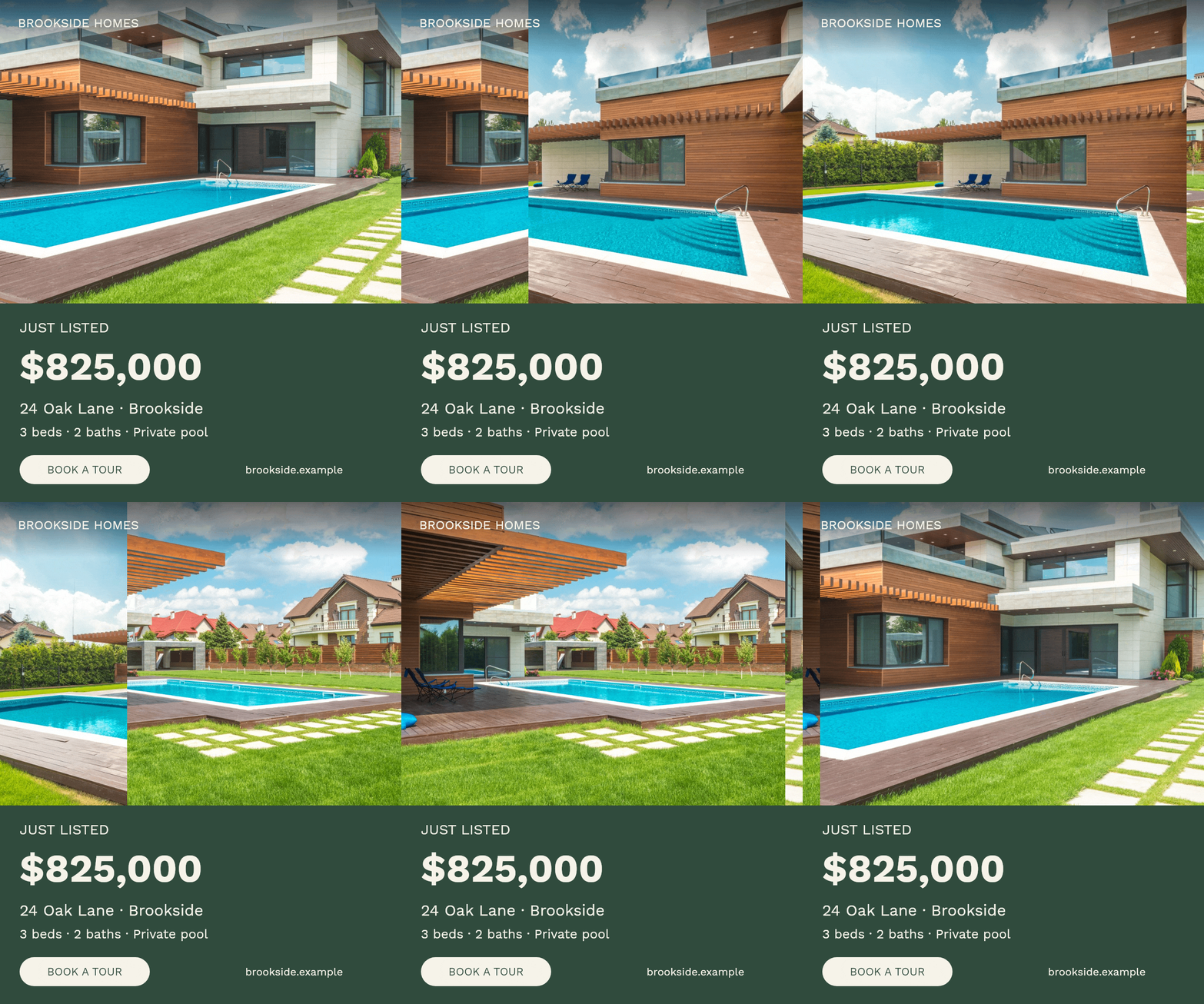
Portrait, 3:4 — a property card with more breathing room
The 3:4 shape gives a property summary more height without becoming a full-screen Story. It can work as a featured-property card on your own mobile website, a visual sent to an interested buyer, or a portrait image in a digital property presentation. It is especially useful when a tall exterior or a view deserves space above the details.
The lower panel keeps the summary easy to scan before a call or viewing. Send the card with a listing link so the buyer can move straight from the introduction to the full property details.
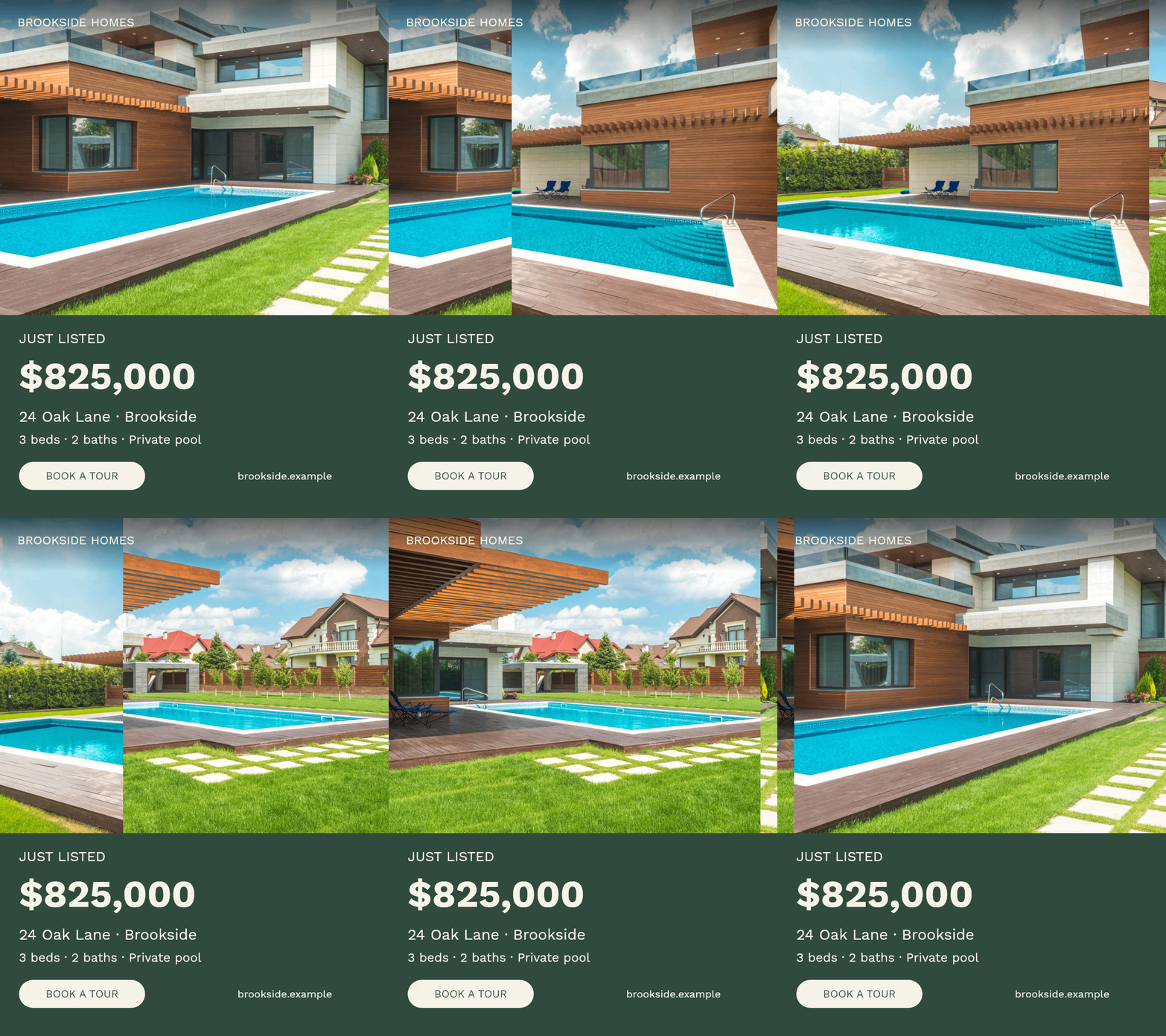
Full-height vertical, 9:16 — Stories and Reels
Use a full-height vertical composition for Instagram and Facebook Stories or a short property Reel. This is a chance to show a sequence: an exterior that establishes the home, another angle that reveals the pool, then the terrace where a buyer might spend time. Keep the price or viewing invitation visible while the photos change.
Export the animated version as MP4 for Reels. In a Story, place a listing-link sticker where it does not cover the property or price. Check the final composition with the platform's buttons and captions visible; essential text needs room away from those overlays. The version below demonstrates the tall layout, with the offer grouped beneath the photography.
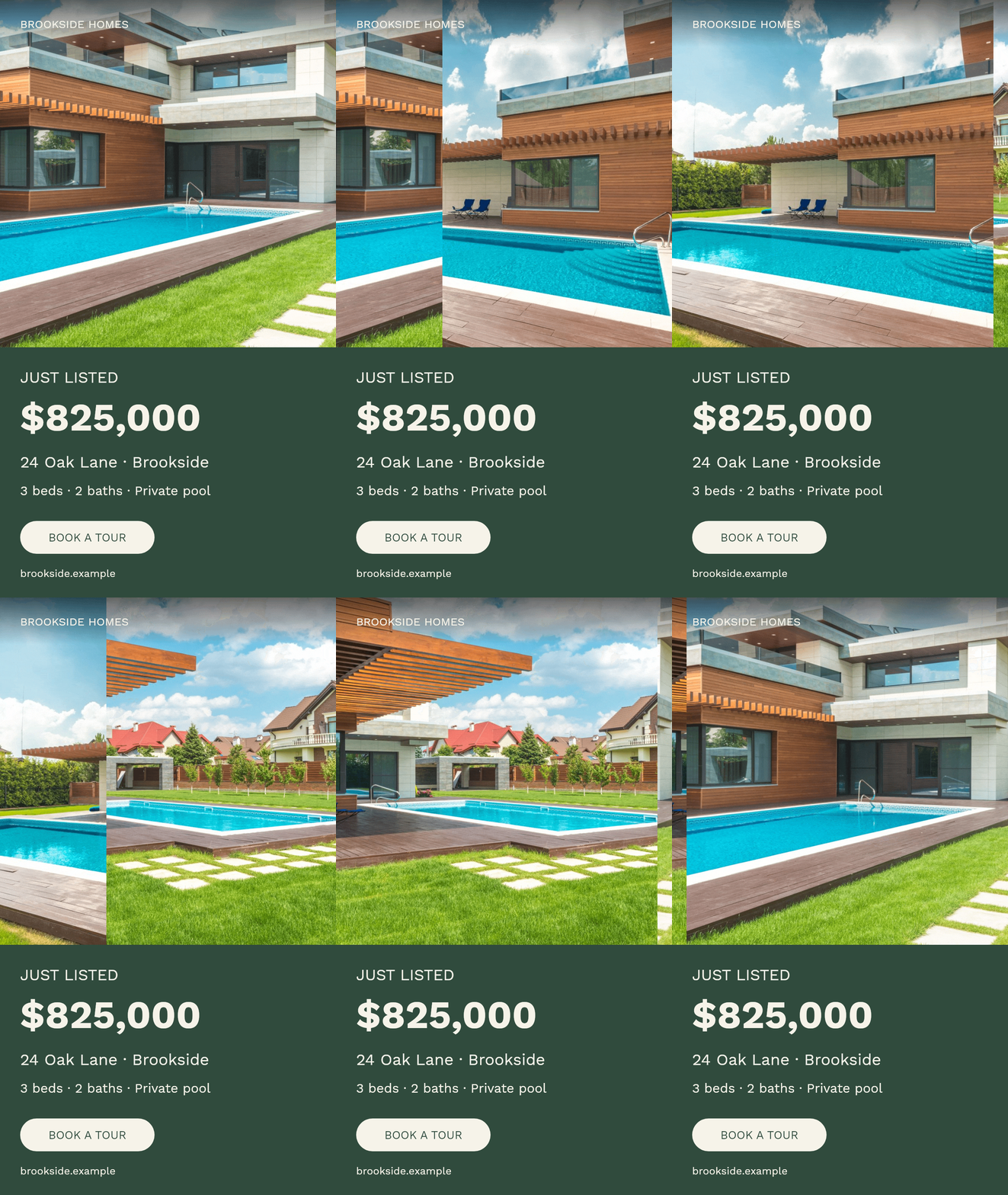
Email landscape, 3:2 — a featured home in a newsletter
The 3:2 format can sit near the top of a new-listing email, below a short introduction and above the viewing link. It is wide enough to feel at home in a newsletter while retaining more height than a shallow header. Use it for a featured property, an open house reminder or a short selection sent to a buyer.
The sidebar holds the offer steady as the photographs change. Link the whole image to the property page and repeat the viewing action as a real email button underneath. If the GIF feels heavy, use the GIF compressor to reduce its file size, then check that the photos and text still look clear. Our email GIF guide covers inserting it into the message.
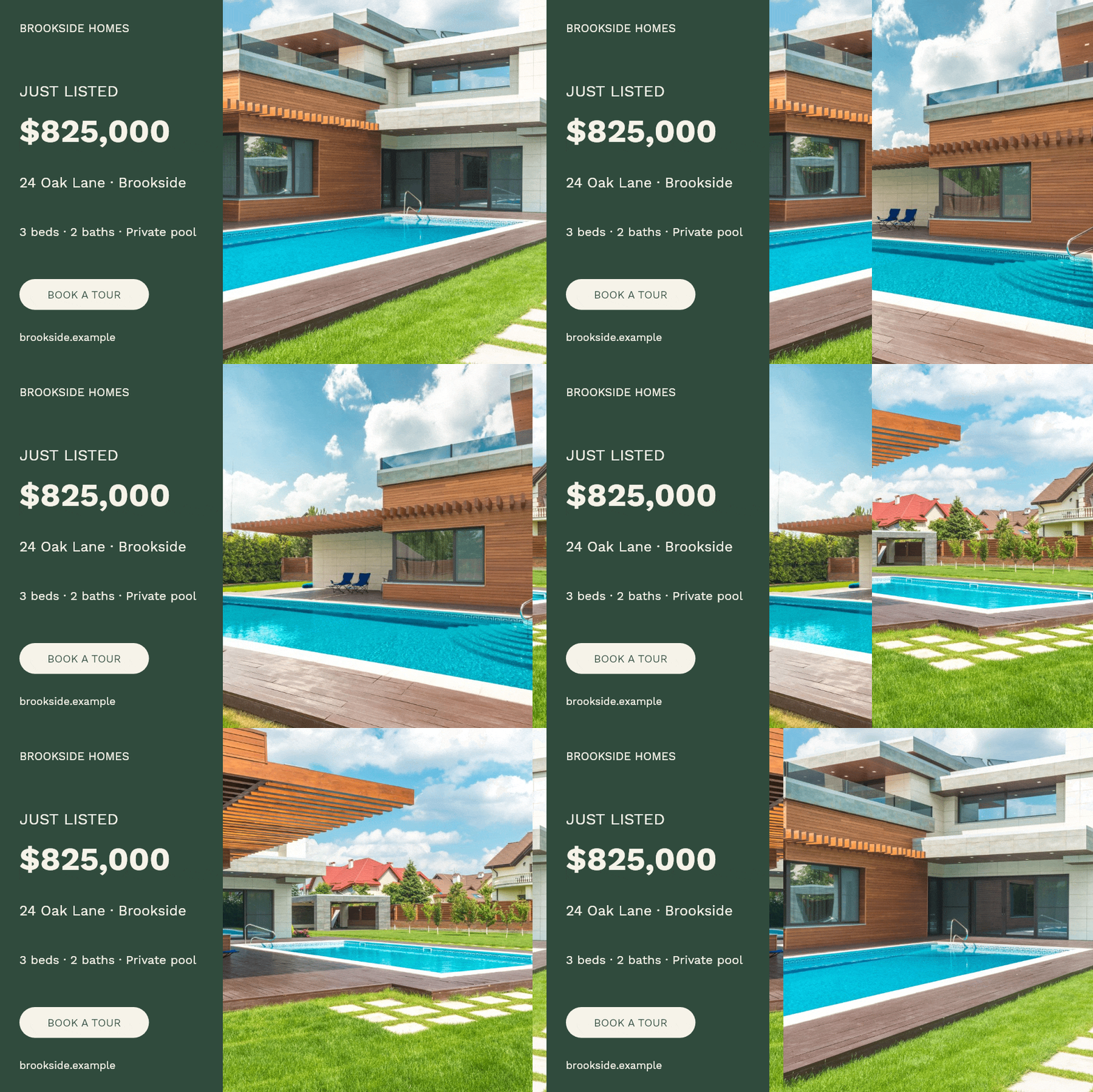
Classic landscape, 4:3 — property pages and listing promotion
A 4:3 card can introduce a property on your agency's website, sit in a neighborhood guide or accompany a local publisher's property feature. It gives the photo more height than a wide video frame and leaves a separate space for the price and facts. Place it where the reader can continue to the full description, photo gallery or viewing form.
On portals such as Zillow and Rightmove, use the listing gallery for property photography and advertising placements for campaign graphics. Rightmove’s advertising products provide another way to reach people already looking at property; Zillow’s photo guidance explains which images belong in its listing gallery.
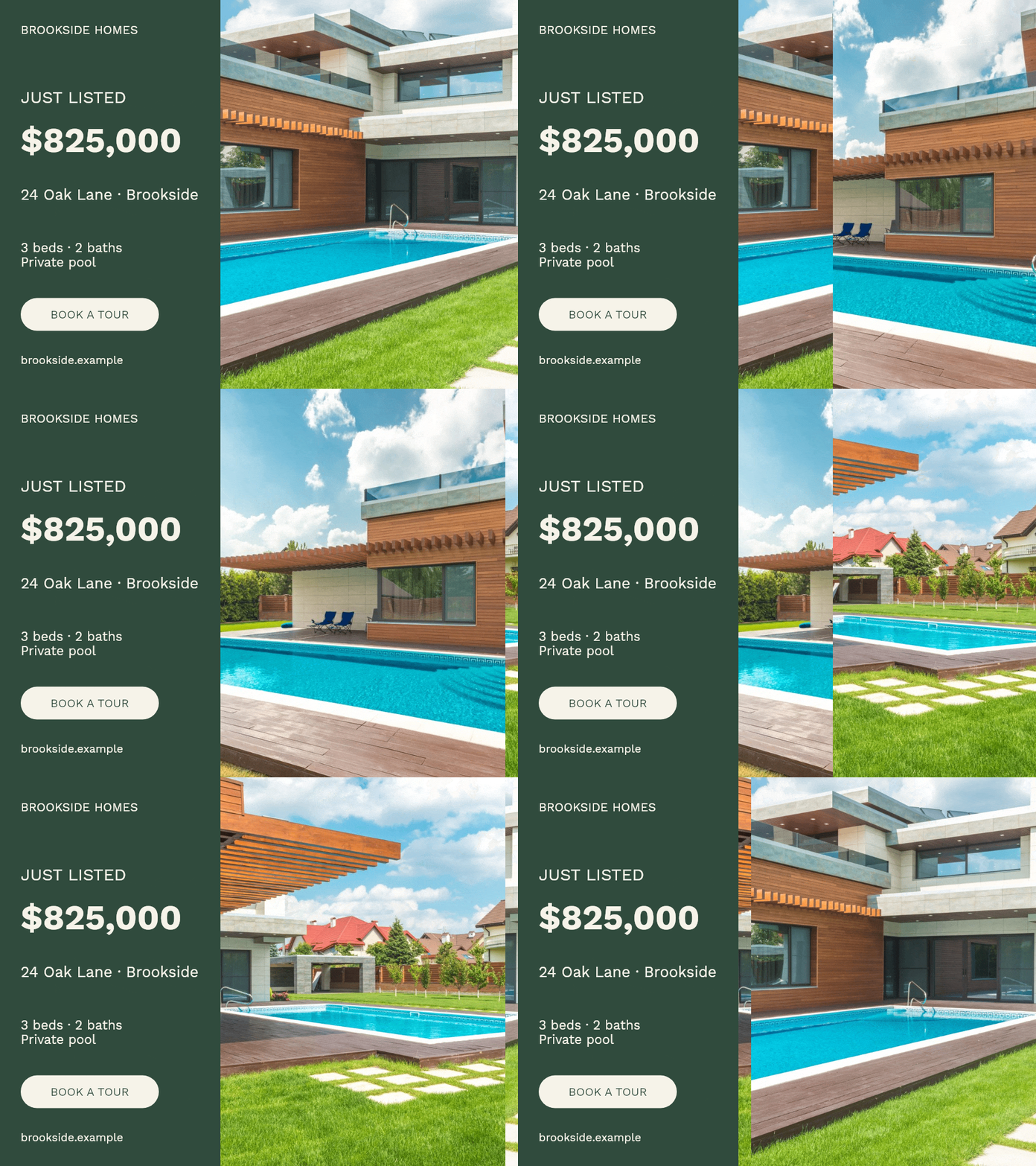
Wide landscape, 16:9 — websites and horizontal video
A wide banner works well above the details on a property landing page, inside a property article or as part of a horizontal video presentation. It can also introduce a home in a landscape video shared on Facebook. The width gives the photograph room to establish the building and its surroundings while the offer occupies a dedicated sidebar.
Use the wide version to introduce the home above the full description and viewing button. A square or portrait companion gives the same campaign a comfortable fit on a narrow mobile page.
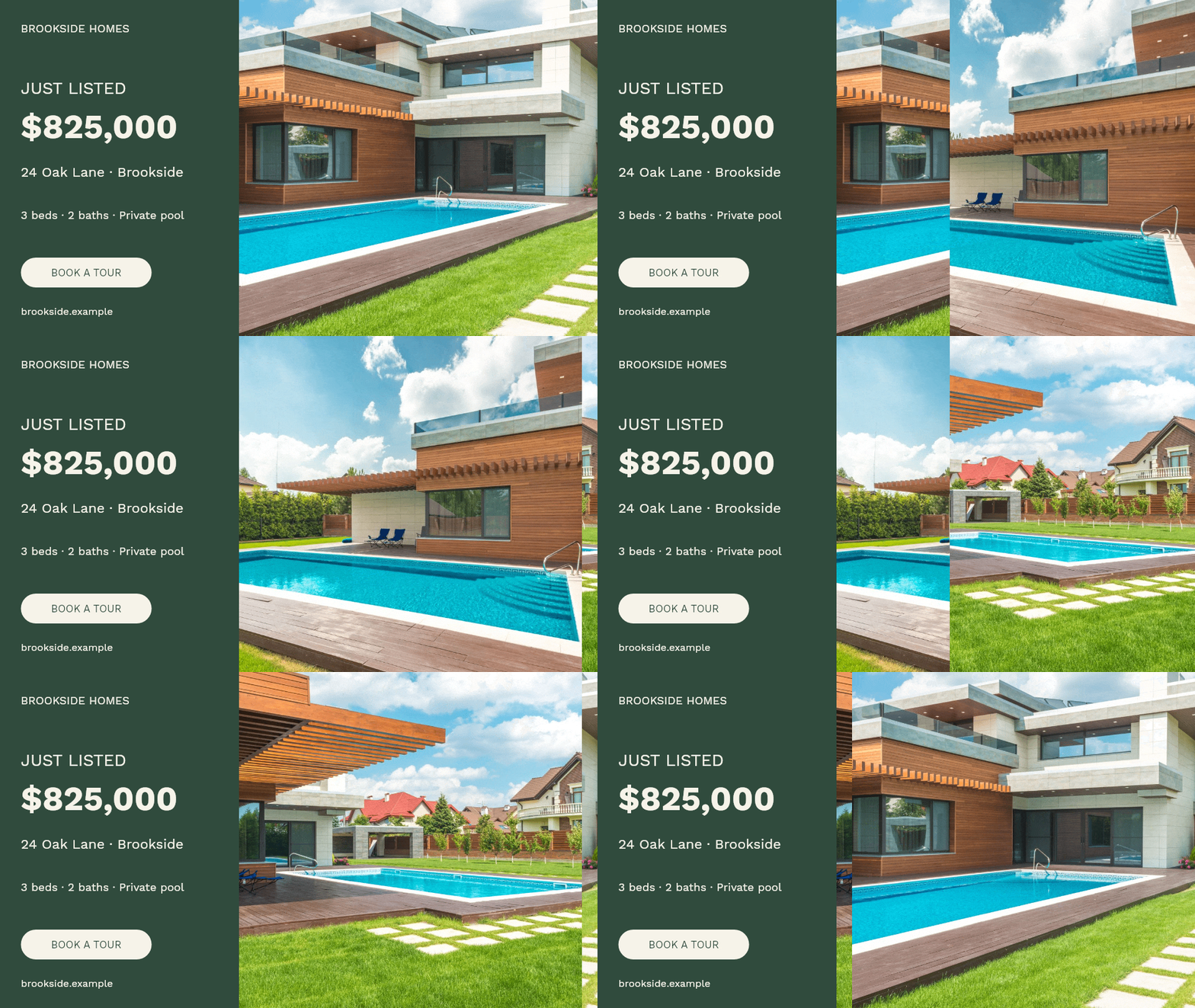
One listing becomes many files
The first banner is rarely the difficult part. The difficult part is maintaining a campaign.
A listing needs several shapes. An open house needs reminders. A price change needs new exports. A second property needs the same brand with different photographs and copy. Add several agents or languages, and manual duplication becomes a source of missed updates and inconsistent presentation.
The solution is to separate the facts from the design. Keep a clear property brief—price, location, status, features, dates, photos and destination—and let the design use those values. When facts change, you should be able to regenerate the affected materials without rebuilding the whole composition.
This is where a generator becomes useful. It turns a collection of individual graphics into a repeatable production process.
How TweenFrame helps you turn a property into a campaign
TweenFrame brings the property photos, sales message and visual layout into one workflow. You can create a listing announcement, turn it into an open house invitation, and prepare versions for social feeds, email and your website with a consistent look. Reusing the approved facts and design makes the next price update or new property quicker to produce.
Choose the editor when you want to shape the banner yourself and see each change in the preview. Give the job to an AI agent when you already have a listing, document or spreadsheet and want it to handle the copy, composition and exports. Both routes turn the same source material into finished banners; the choice is how much of the production you want to direct by hand.
Use the editor for a hands-on result
In the real estate banner maker, choose a layout in Template and add your property images in Photos. Edit the available fields in Text and Colors, then adjust the timing in Animation. The preview shows how the offer and photographs work together.
Choose a layout around the message: a prominent price and features for a new listing, a spacious photograph for a rental, or a clear date and address for an open house. The fields and preview help you shape the offer as you work.
Use the preview to refine the crop, copy and timing, then open Download and choose an output suited to the channel.
Give an agent the brief and let it build the set
Give an agent your listing, PDF, spreadsheet or folder of photos, along with the campaign goal. It can pull the important facts into a brief and carry that preparation through to the finished banners.
The agent extracts the facts, writes concise variants, chooses a design, supplies texts and images to TweenFrame, and renders the files. It can use a catalog template or author a custom composition through the API when the available inputs do not cover the task. It can then adapt the layout for other proportions and repeat the process with updated data.
Approve the first design, then let the agent build the set from that direction. Save the brief and editable designs with the exports so the next price change or new listing starts with work you have already approved.
For the complete process, including a sample brief and instructions you can reuse, read how to create real estate banners with an AI agent.
Keep attractive advertising accurate
Before launch, check the offer against the source: price, availability, measurements, dates and contact details. Use authorized photographs of the actual property, label visualizations or virtual staging as required, and keep the destination page in step with the banner.
Housing advertising also has rules about discrimination. In the United States, the Fair Housing Act covers advertising as well as housing transactions; describe the property rather than implying preferences for protected groups. Rules and platform restrictions vary by jurisdiction, so review the requirements that apply to your campaign. The U.S. Department of Justice's fair housing overview is a starting point for U.S. advertisers.
For paid campaigns, also review the platform’s housing-ad settings, including Google’s housing-ad targeting policy.
Give each campaign an owner and a review date. A simple record of active placements makes it easier to update the materials when the property’s price or status changes.
Judge the banner by what happens after attention
A campaign can receive many clicks and few useful inquiries. That may mean the creative makes an attractive promise to the wrong audience, the landing page disappoints, or the contact process is difficult.
Track the path: impression, visit, inquiry, qualified conversation and viewing or booking. Define a qualified inquiry in terms of legitimate property requirements and intent. Compare campaigns using the same definition.
In a hypothetical comparison, two campaigns each spend $300. One produces 30 inquiries, of which three are useful; the other produces 15, of which six are useful. The second costs $50 per useful inquiry instead of $100. Tracking that distinction helps you decide which creative deserves more of the budget.
Test one meaningful creative change at a time: exterior versus interior, price-led versus feature-led, or still versus motion. Keep the offer, destination and audience settings comparable. Record a campaign and creative identifier in the destination link where appropriate, and carry it into the inquiry record so a viewing can be traced back to the ad.
Use the results to choose the next improvement. Repeated questions about price suggest making it more prominent. Strong interest in the garden can inform the next photo choice. Visits that stop at the property page suggest reviewing the listing and contact flow alongside the creative.
Start with one property and build a useful set
Start with one property brief and a coordinated campaign: a listing banner, versions for your main placements, and a follow-up tied to an open house or price change. Each piece gives the same home another useful introduction.
Build that first set in the real estate banner maker, or follow the agent workflow with your listing and photos. Save the brief and design, check the destination, then measure whether the campaign brings useful inquiries. When the offer changes, update the source and regenerate the affected files.
Photo credits
Photos are used under the Pexels license. The house series by Max Vakhtbovych shows the same poolside property from the garden, across the pool and under the terrace.


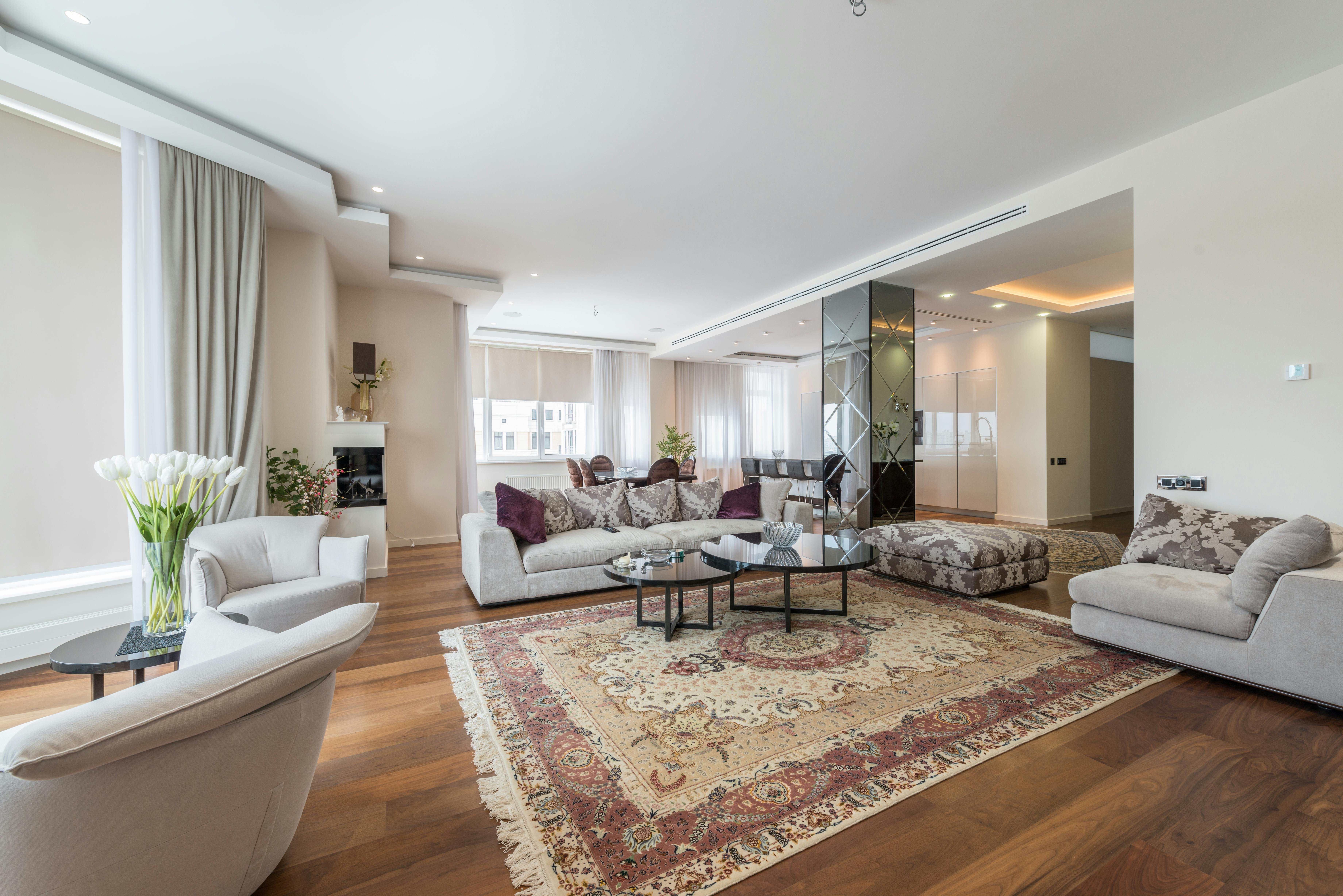
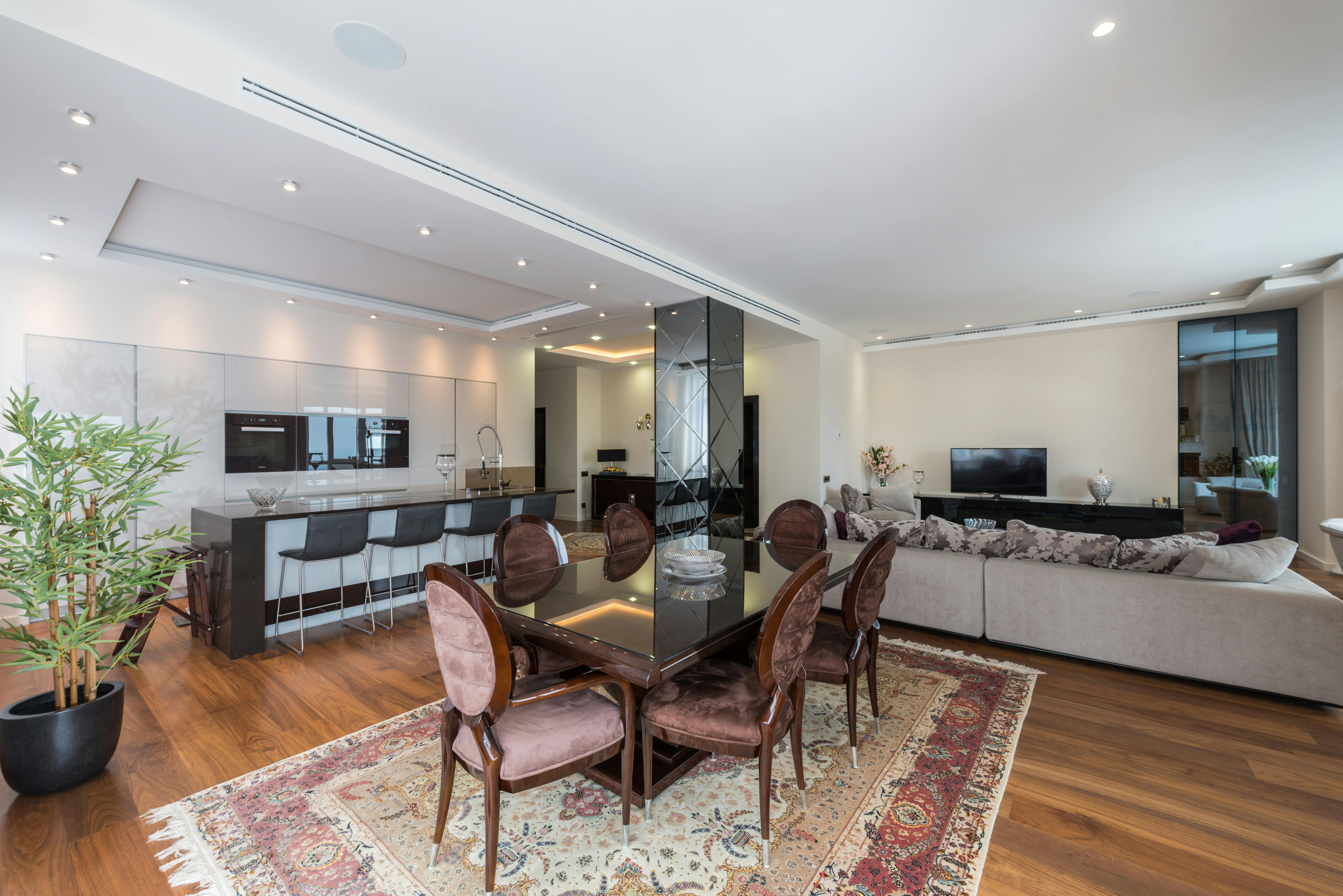
The apartment series is also by Max Vakhtbovych: living area, seating area and dining area. The office series by Mike van Schoonderwalt shows the workspace and another view of its desks.
Real estate banner questions
What should a real estate banner include?
Start with a strong property image, a clear offer, the facts needed to assess it, and one next action. A sale banner may prioritize price and location; a rental may prioritize monthly rent and availability; an open house invitation needs a prominent date, time and address.
How do I tell whether a property banner is working?
Follow visits through to inquiries and viewings, and compare cost per qualified inquiry using a consistent definition. Test one creative change at a time while keeping the offer and destination comparable. Results also depend on the property, price and response process.
Can I use the same banner on every platform?
Reuse the photos, offer and visual identity, then adapt the composition for each placement. A square works for Instagram, Facebook and a Google Display adaptation; taller versions give social posts more photo space, while landscape versions fit email and property pages. Prepare the final export for the chosen destination.
Should property banners be animated?
Animation lets one banner show several views of the home. Keep the price and invitation visible as the photos change, and choose a sequence that helps someone picture the property. A strong opening frame also works as a still introduction.
Can an AI agent create banners from a listing or spreadsheet?
Yes. Give a connected agent your listing or spreadsheet and property photos. It can extract the facts, write concise copy and use TweenFrame to generate a coordinated set of banners. Save the brief and designs so it can reuse them for new formats and price updates.
Can an agent create its own layout with TweenFrame?
Yes. The documented API supports catalog recipes and authored design documents. An agent can adapt a recipe or create a custom composition, validate it and render supported media formats.
Can I put a finished banner in a property portal's photo gallery?
Use clean property photographs in the listing gallery and composed banners in suitable advertising placements, on your own website or in email. Each portal has its own rules for gallery images and advertising assets.