Property listings
Introduce a home with a clear asking price, a few useful features and your contact details. Let the photos show the space while the offer stays in view.
Turn property photos into an animated listing, open house or rental banner. Customize the details, colors and timing, then download GIF, MP4 or WebP.
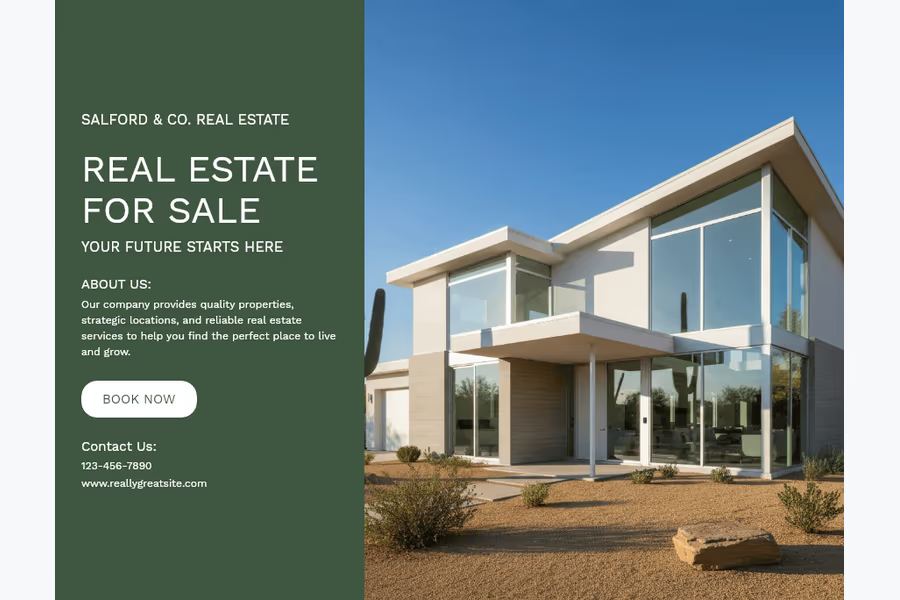
Lead with a clear exterior or an inviting room. Let a short photo sequence show the space while the key facts stay easy to find. Choose a layout that gives your strongest photo enough room. A clear visual hierarchy helps buyers and tenants notice the offer and decide whether the property is worth exploring.
A striking image needs useful information beside it. Show the listing status, price, location and a few relevant features, then invite the viewer to book a viewing, attend an open house or contact you. Keep the message focused on one property and one next step, whether you are sharing it in a social feed, email or agency website.
Three animated examples for property listings, open houses and rentals. Explore layouts that bring photos, prices and viewing details together.
Introduce a home with a clear asking price, a few useful features and your contact details. Let the photos show the space while the offer stays in view.
Turn interest into a visit. Put the viewing date, time and address where people can find them immediately, with a short invitation to step inside.
Help prospective tenants assess the fit. Show the monthly rent, availability and amenities, then point them to the full terms and viewing information.
Lead with a bright, accurate photo. Use the next images to show the rooms, outdoor space and distinctive details.
Pair a clear listing status with the price, location and key features. Give buyers the facts they need to explore the full listing.
Include an agent name, phone or website. Add a working listing or booking link when you publish the banner.
An open house banner is an event invitation. Give the day and viewing hours priority over a long property description.
Move from the exterior to the kitchen, living room or garden. Help visitors imagine what they will see in person.
Share the invitation in local posts or emails. Say whether visitors can drop in or should book, and link to directions or the event page.
State the payment period beside the amount. Put deposits, fees and detailed conditions on the linked property page.
Show the rooms and useful amenities: workspace, parking, storage or outdoor space. Use specific facts instead of generic promises.
Tell viewers when the property is available and how to arrange a viewing. Keep the banner current when the home is let.
Choose a layout for your photos and message. Keep its aspect or select a square, portrait or landscape format.
Arrange property photos. Add your price, address, features and contact details where the template allows.
Choose colors, photo delay and transition. Play the preview to check that details stay readable.
Export as GIF, MP4 or WebP. Share in posts, listings or emails with a property or booking link.
| Placement | A useful starting point | What to include |
|---|---|---|
| Social feeds | Square 1:1 or portrait 4:5 | One property, a clear headline, price or event details, and a next step. Use MP4 where the platform expects video. |
| Stories and vertical posts | Portrait 9:16 | A readable headline and a few essential facts. Keep important text away from interface overlays; preview in the destination app. |
| Property and agency websites | Landscape 16:9 or the original aspect | A concise property introduction and a nearby enquiry link. GIF or WebP can be used where the site supports animation. |
| Email newsletters | Landscape or email 3:2 | Put the essential message in the first frame. Some email clients show only that frame. Link the banner to the property page. |
| Direct sharing | A format your recipient can open | A compact introduction with contact details. Check the destination’s current file and upload requirements before sharing. |
A real estate banner is a compact visual announcement for a property, event or business. A digital banner combines photos and essential information for a social post, website or email. This editor creates downloadable digital media, rather than physical signs.
An open house is a scheduled period when prospective buyers can visit a property. An open house banner promotes that viewing: include the date, time, address and contact details so people know when and where to attend.
Yes. Choose a template with the fields you need and replace its sample text and photos. For a sale, show the asking price and viewing contact. For a rental, state the rent period and availability clearly.
Start with an accurate photo, status, location, price where appropriate, a few useful features and a contact or next step. For an open house, prioritize the date and time. Keep detailed descriptions on the linked listing page.
You can prepare square, portrait and landscape assets for social media. Export MP4 when posting to a video surface rather than assuming a GIF will animate. Check the destination’s current size, length and upload requirements before publishing.
Use a GIF in an email builder that supports it. Keep the essential details on the first frame because animation support varies. If the file is too large, shorten the sequence or use the GIF compressor before adding it to your campaign.
Yes. Each template exposes its own editable fields. Available controls can include background and text colors, property feature icons, photos and contact details. The preview updates as you edit.
The Download menu offers GIF, MP4 and WebP. Choose a format supported by your website, social platform or email tool. A web link drawn inside a banner is not automatically clickable; add the real link in your post, email or page.
No design can guarantee enquiries or a sale. Clear photos and readable facts help people understand an offer, but results also depend on the property, price, audience, distribution and follow-up. Use a trackable destination link to learn which campaigns bring relevant visits.